Service desk

Every client call,
on one desk.

A private ticket tracker for your support team, inside WorkTaskMe. Every call and message from a client becomes a ticket with its client, priority and status — next to the board, but seen only by the people you pick.

Ultimate plan Included in Ultimate, and in every 3-day trial.
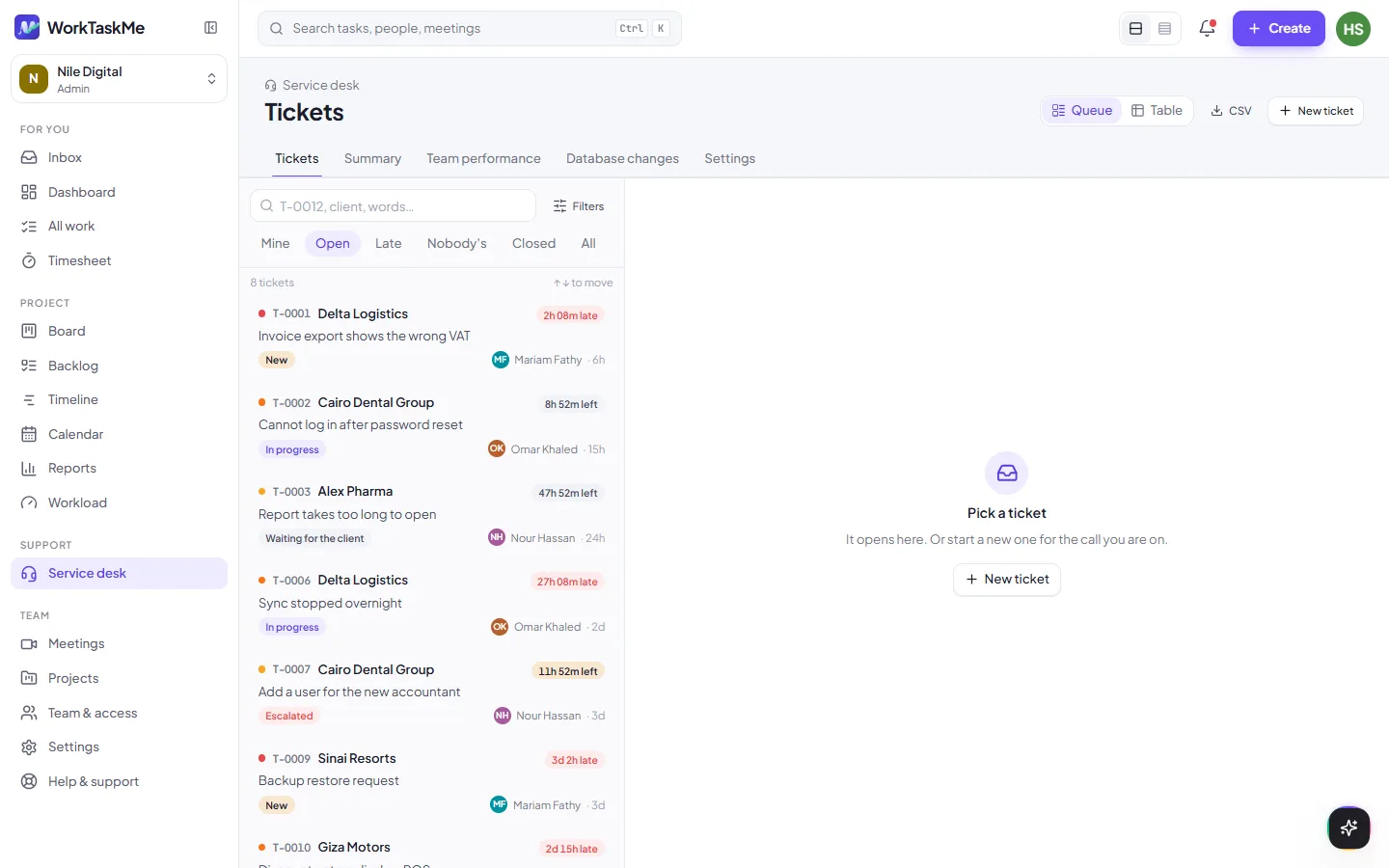
The WorkTaskMe service desk: a list of support tickets, each with its number, client, priority, status and the person working on it

Tickets

A ticket for every call, not a row in a sheet

Log who called, about which program, how urgent it is and who is on it. The ticket keeps its own history — opened, first reply, given to, escalated, closed — and who did each step.

  • Client, priority and status on every ticket, from New to Closed
  • Levels L1 to L3, for when a ticket has to be escalated
  • Pictures, videos and files in the description, counted in the workspace’s storage
  • When it needs work on the product, send it to the board as a task
Open tickets 3
Monthly invoice will not print T-0142HighIn progressSA
New branch needs a user account T-0143MediumNewOM
Stock report totals look wrong T-0139UrgentEscalatedMH

Who sees it

Private by default

The desk is off until an admin turns it on, and then only the people they choose can open it. For everyone else it isn’t in the sidebar at all — and the server refuses them too.

Off until you turn it on

An admin switches it on from Team & access, then picks who gets in.

Team access

Workspace members who work the tickets and keep the database-changes log.

Lead access

Everything Team has, plus the desk’s settings and its reports. Admins are always Lead.

First reply on time92%
Solved the first time78%
Closed this month214

An illustration, not real numbers.

Reports

See how the desk is really doing

A Summary report for the desk as a whole, and a Team performance report that credits the person who actually replied and closed — not just whoever the ticket ended up with.

  • Filter by dates, client and program
  • Both reports export as CSV, ready for a spreadsheet
  • Worked out from the tickets every time, so the numbers never go stale

Database changes

Every change to a client’s data, written down

When someone has to fix a client’s database by hand, the desk keeps a log: what changed, for which client and ticket, who asked, who did it and who approved it.

  • Was a backup taken? Was it tried on a copy first? Did the client confirm?
  • A change with no backup, no approval, or approved by the person who made it stands out
  • Log it when it is asked for, mark it done when it is made
# Database change · T-0139
what       Fix stock totals for March
asked by   the client
done by    MH
approved   SA

✓ backup taken
✓ tested on a copy
✓ confirmed with the client

Getting started

Bring the spreadsheet you already keep

Most support teams start with a ticket sheet. Import it from an .xlsx file and carry on from where it stopped, with your clients, programs and history in place.

1. Turn it on

An admin opens Team & access and sets the desk up.

2. Pick the people

Choose the members who get Team or Lead access.

3. Import or start

Upload your .xlsx tracker, or open the first ticket.

Give support its own desk.

The service desk is included in the Ultimate plan. Every new workspace can try it for 3 days, free, with no card.